
How to Transfer Data from CanvasWorkspace PC to Artspira
You can transfer data from CanvasWorkspace to Artspira by following the steps below.
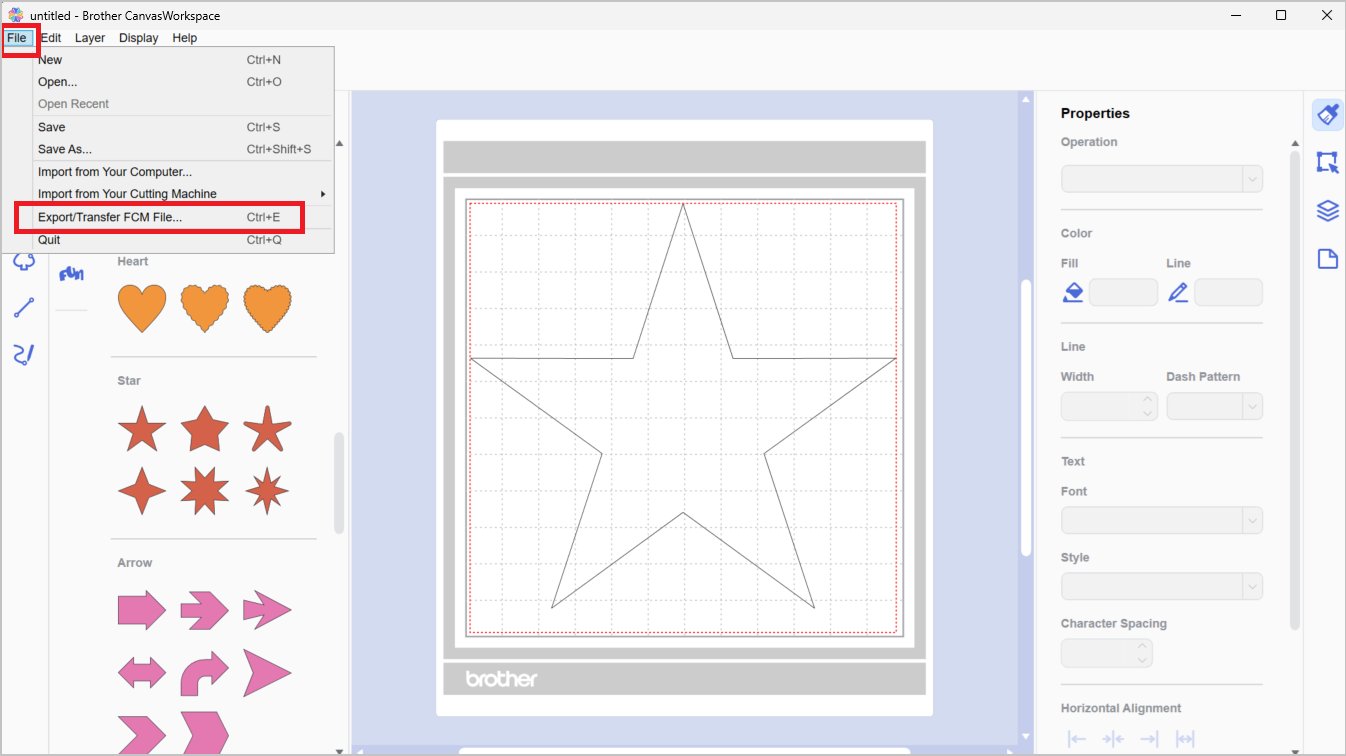
Select “Export/Transfer FCM File” from the “File” menu.
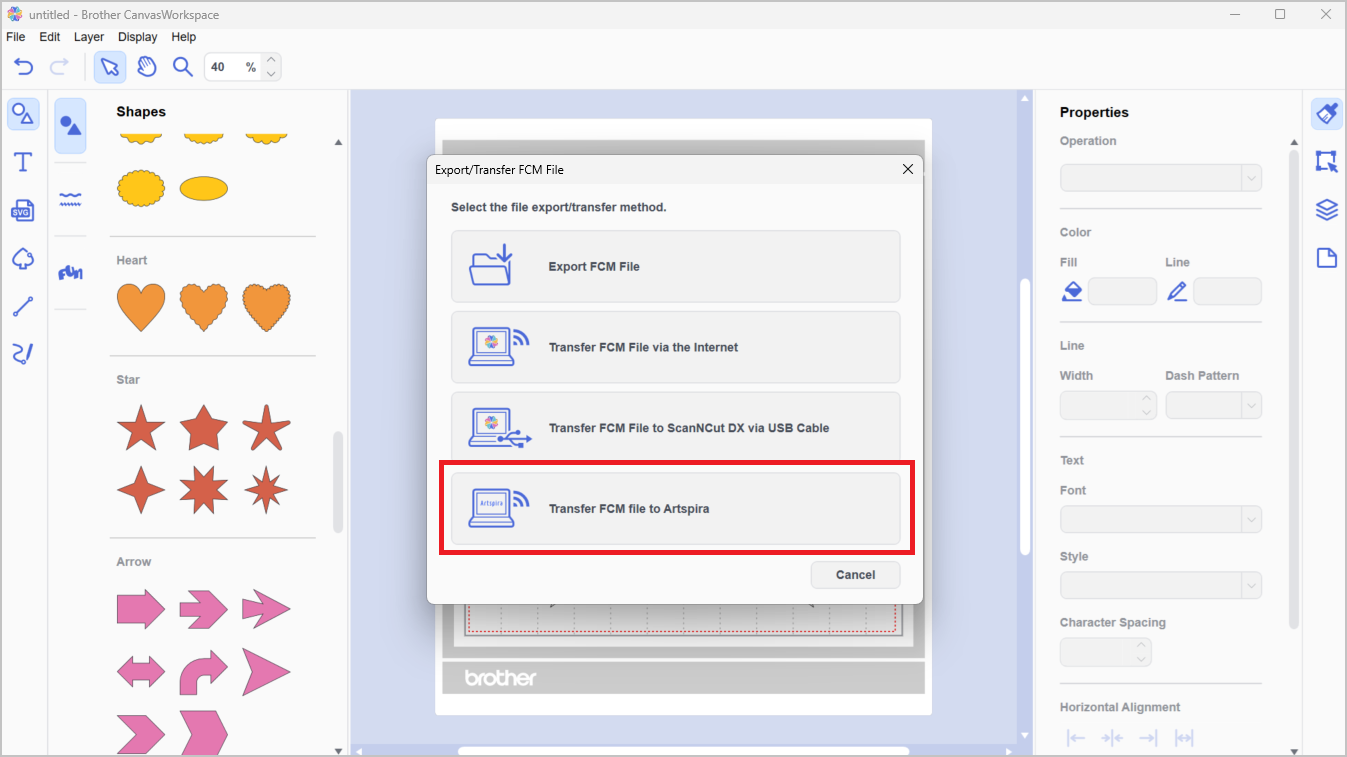
Select “Transfer FCM file to Artspira.”
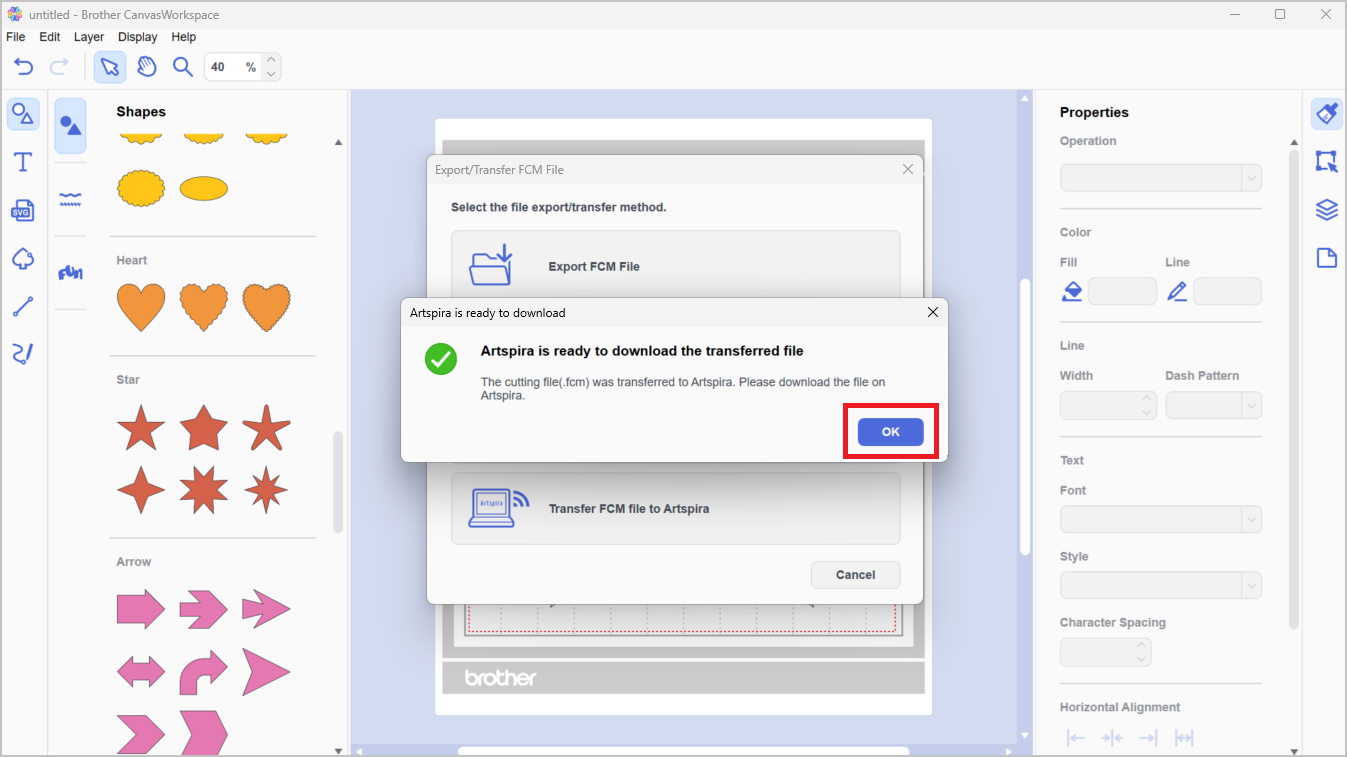
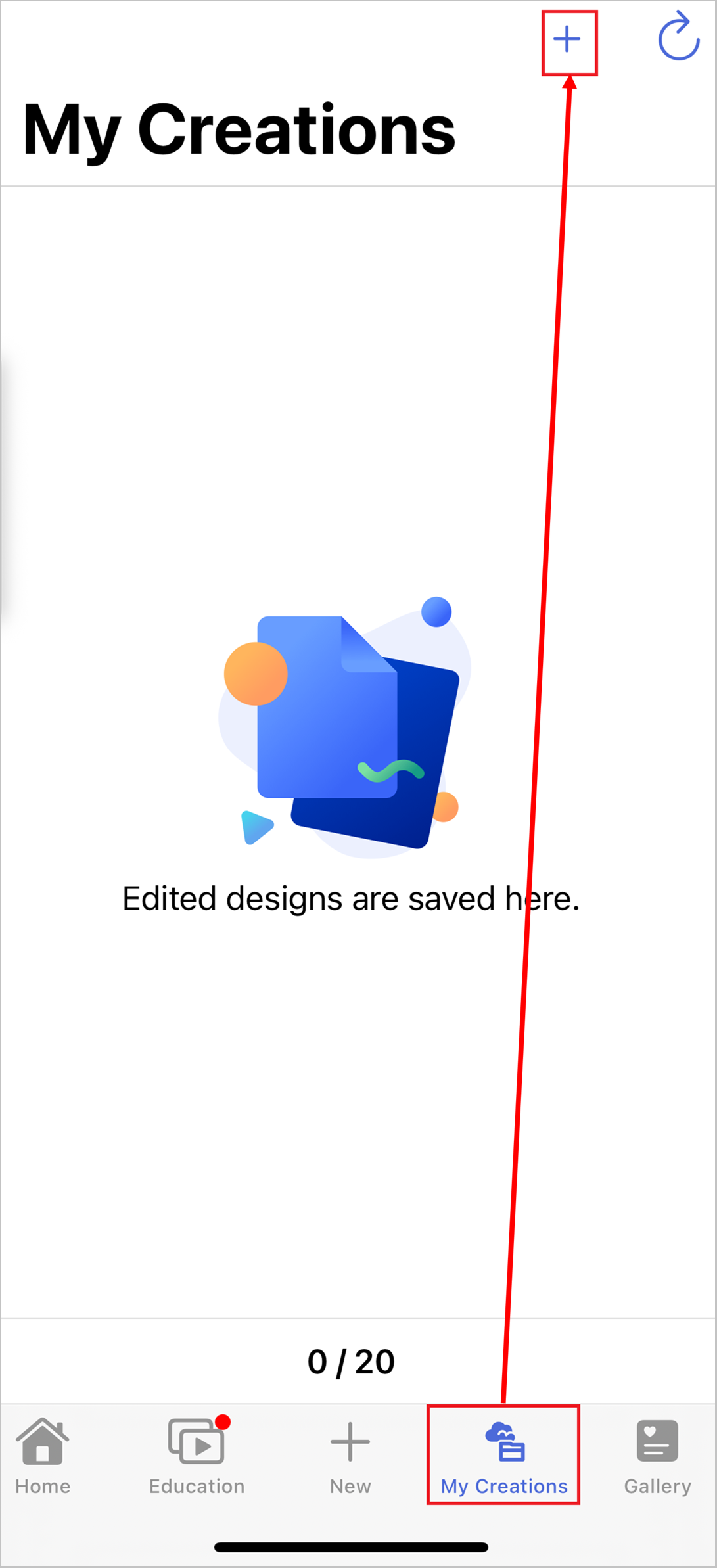
Open the “My Creations” screen in Artspira and select the + button at the top of the screen.
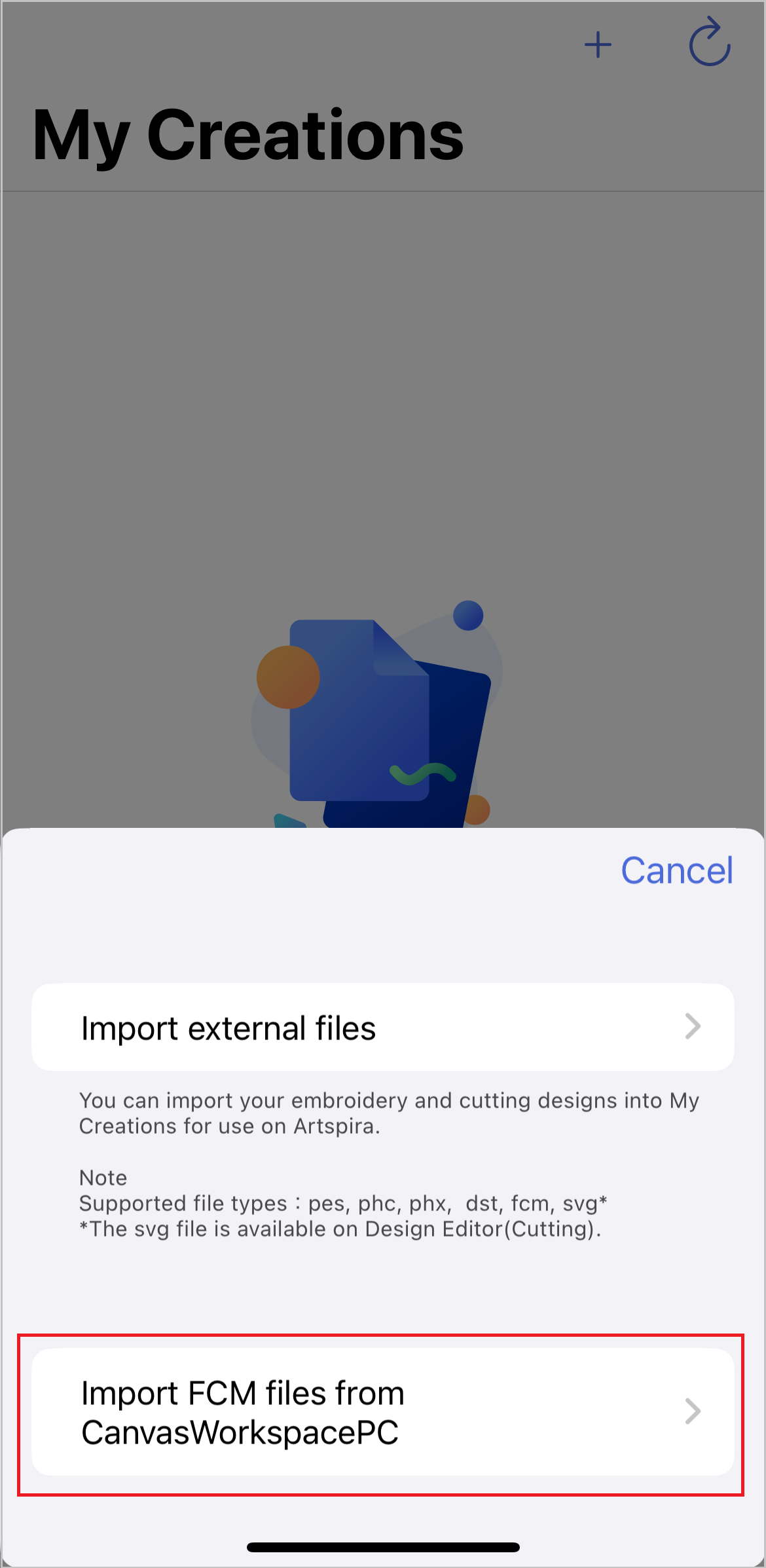
Select “Import FCM file from CanvasWorkspace PC.”
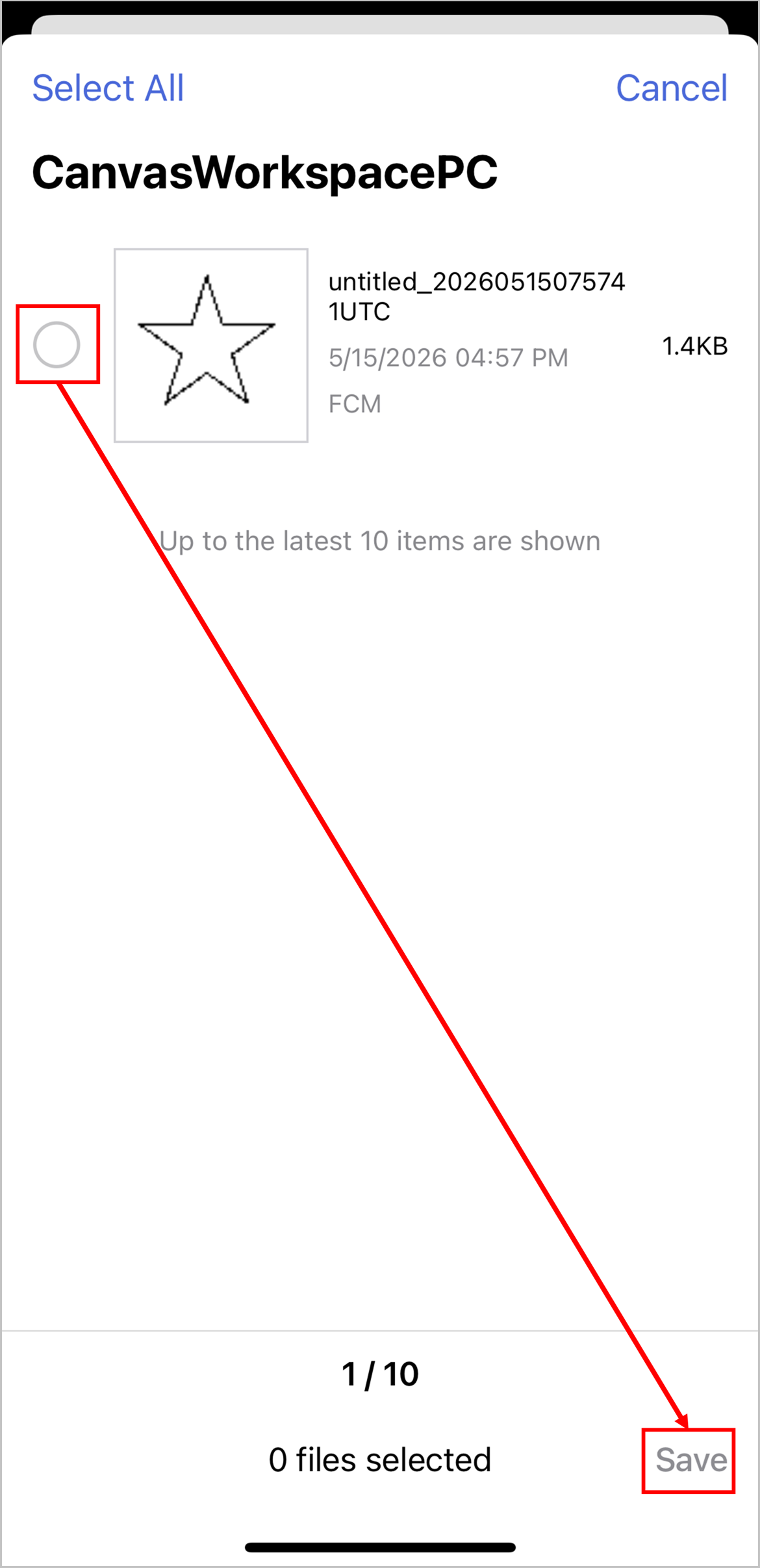
Select the data you want to import, then click “Save.”
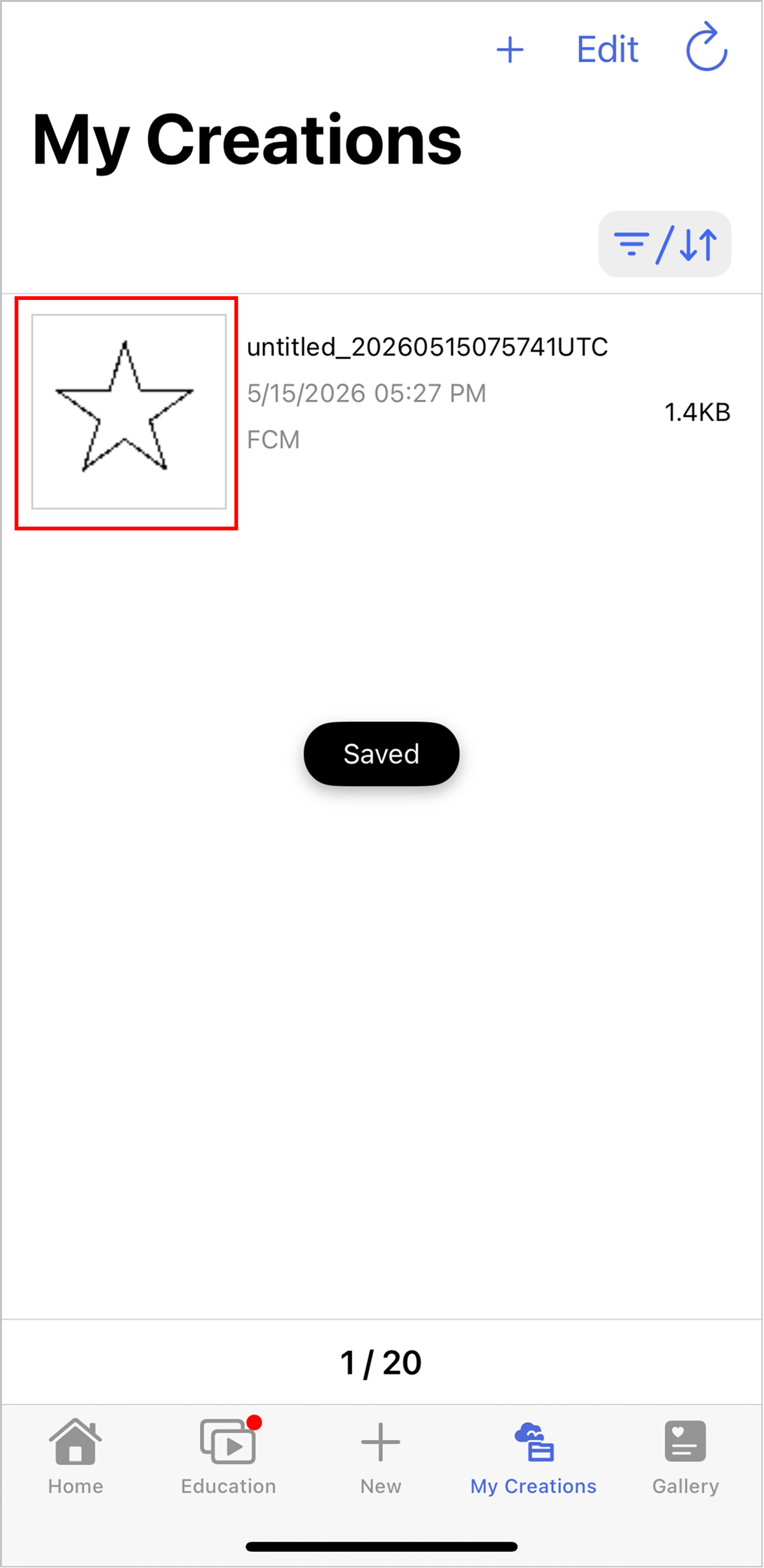
The import was successful.
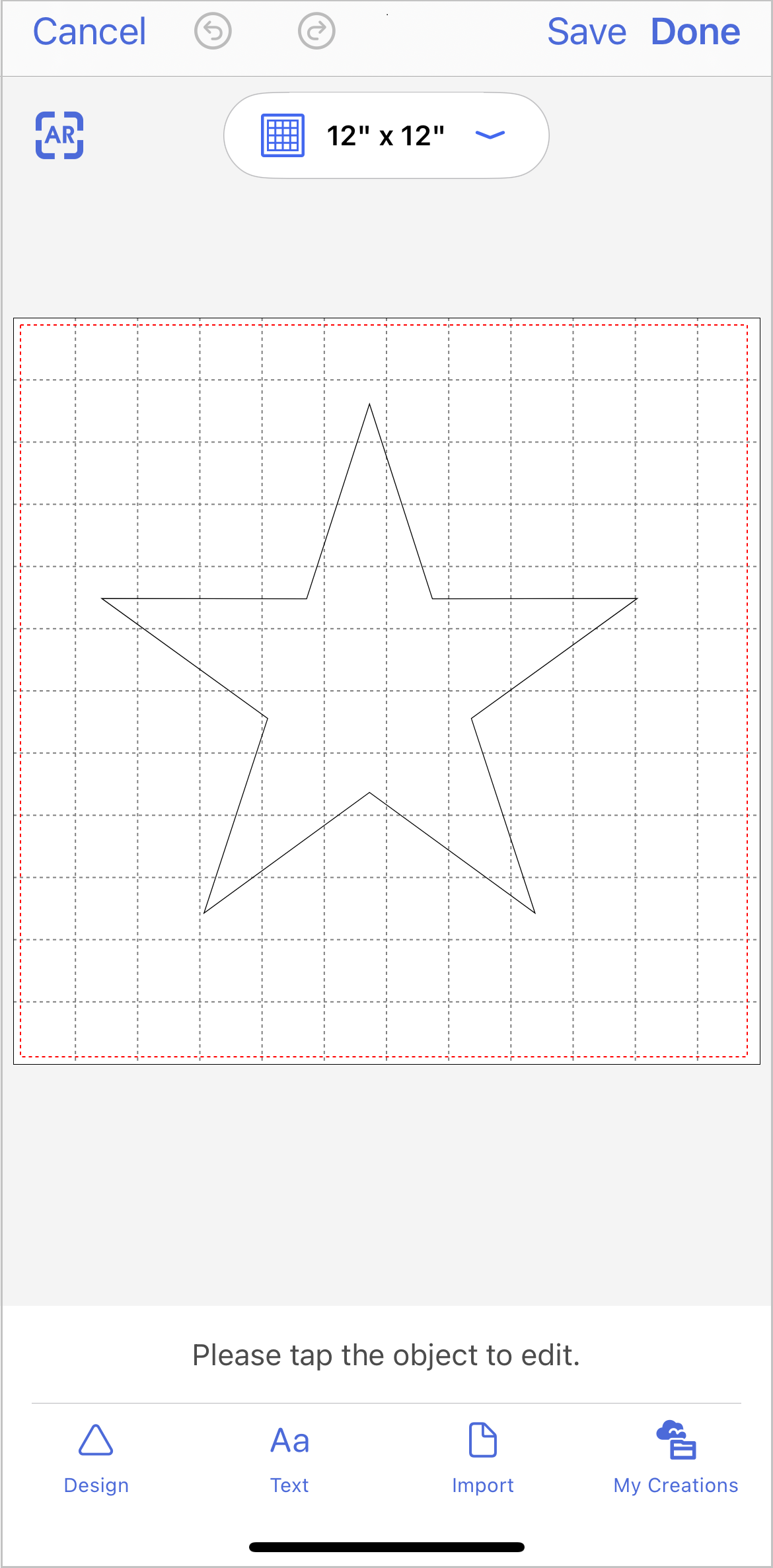
Once you select the imported data, you can edit it.
Select “Export/Transfer FCM File” from the “File” menu.
Select “Transfer FCM file to Artspira.”
Open the “My Creations” screen in Artspira and select the + button at the top of the screen.
Select “Import FCM file from CanvasWorkspace PC.”
Select the data you want to import, then click “Save.”
The import was successful.
Once you select the imported data, you can edit it.