
How to Create and link an Artspira Account Using CanvasWorkspace Login ID
You can create an Artspira account by following the steps below.
For subsequent logins, you can log in using your CanvasWorkspace ID and password as usual.
After logging in, you can link your Google or Apple account so that you can use the app without having to enter your CanvasWorkspace login ID or password the next time you log in. Please click here for detailed instructions.
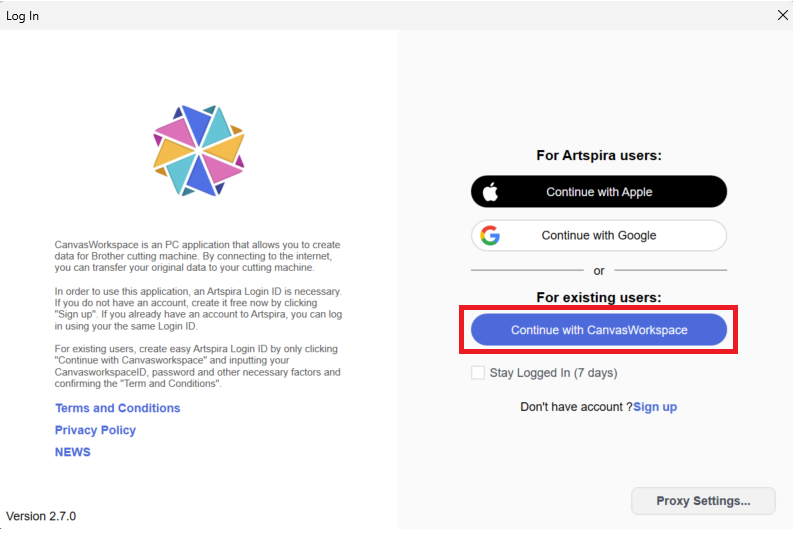
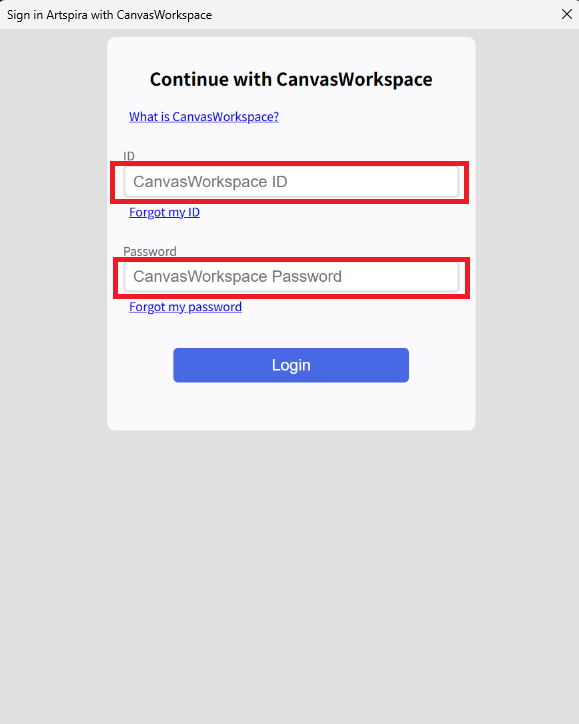
Please enter your CanvasWorkspace login ID and password.
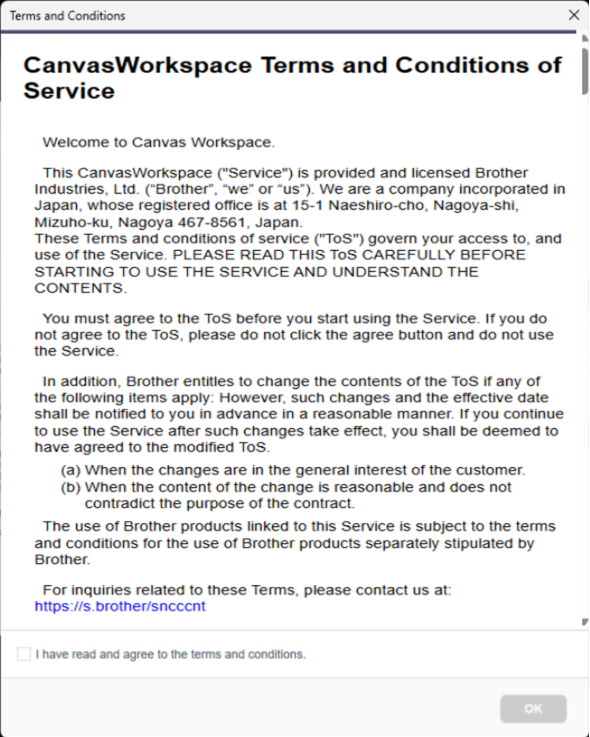
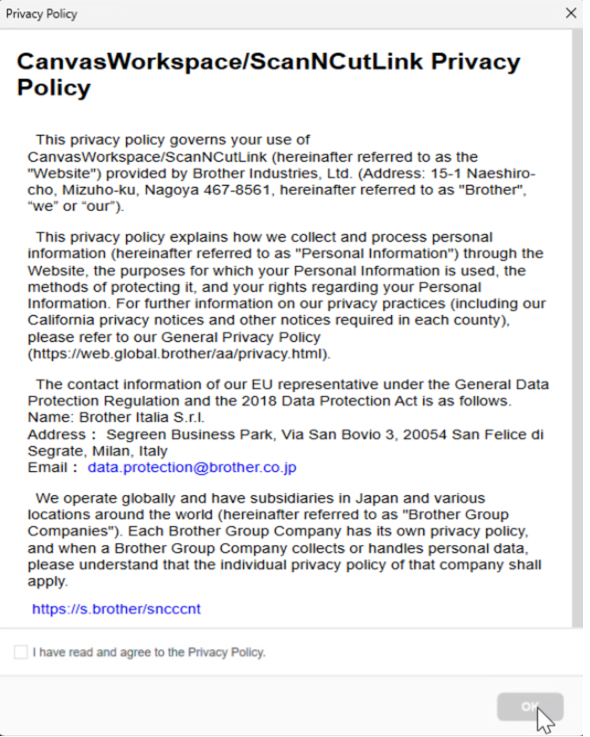
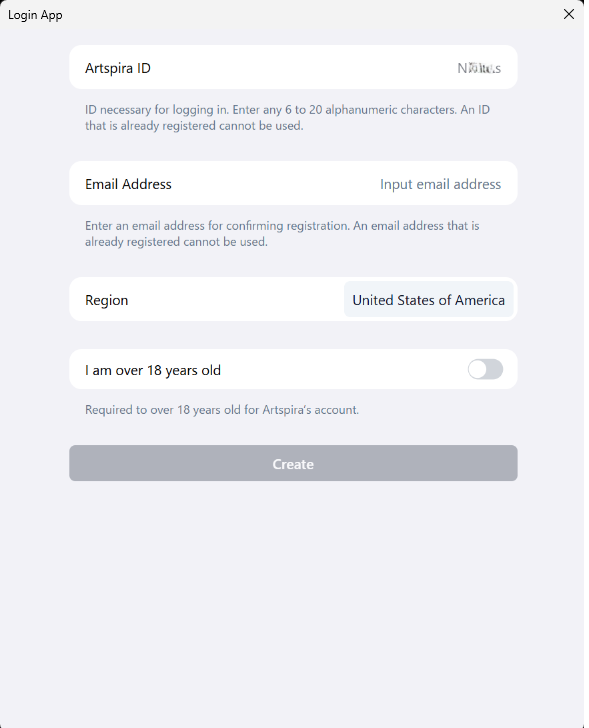
Your CanvasWorkspace login ID is automatically entered in the Artspira ID field.
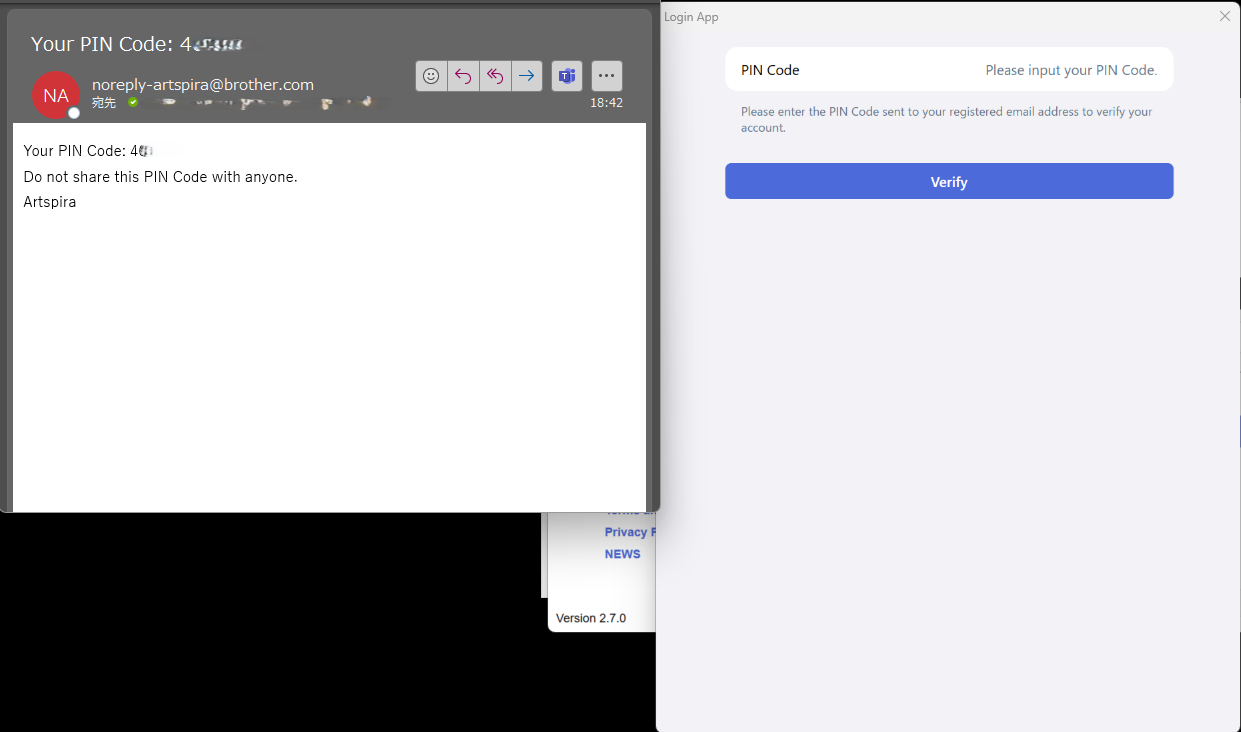
Please check the email address you entered to confirm whether you’ve received the PIN code. Enter the 6-digit PIN code provided in the email.
Be sure to check your spam folder as well. If you still can't find what you're looking for, please contact us here.
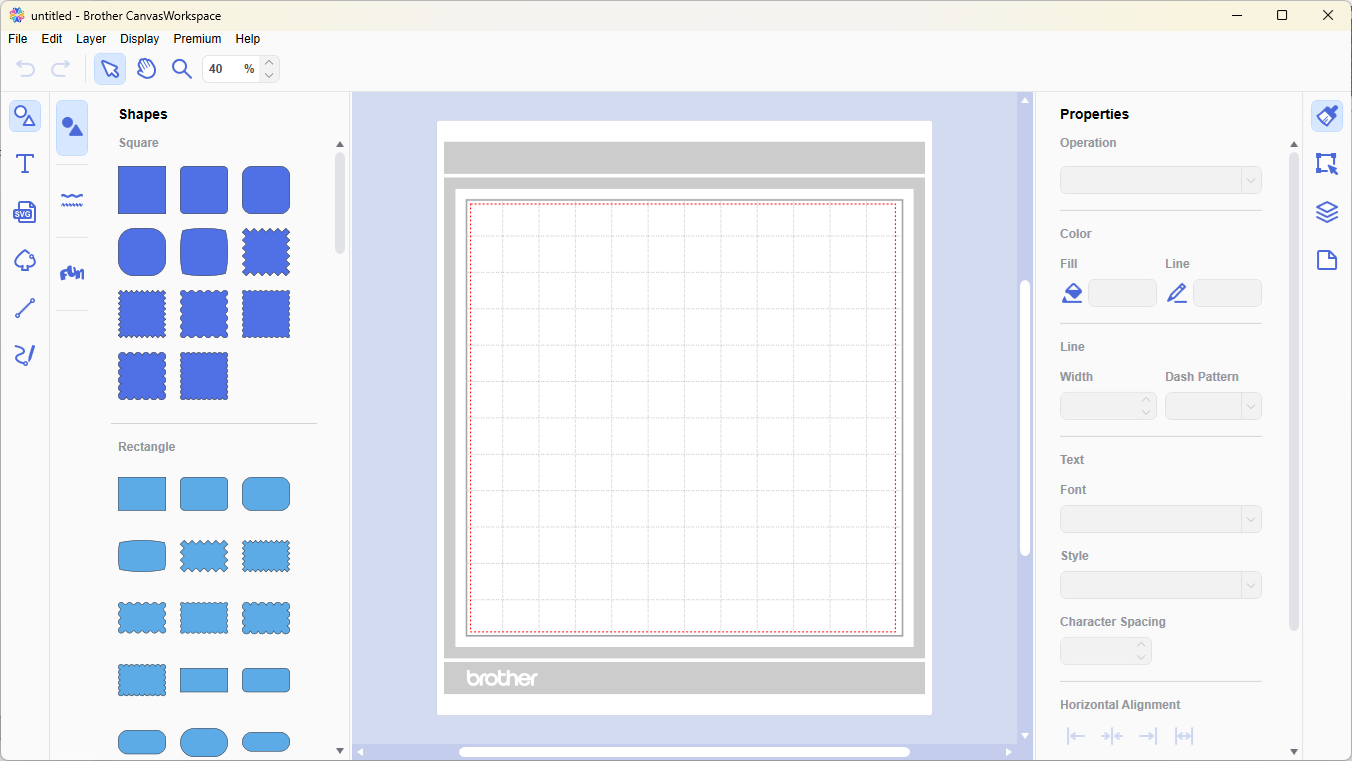
Your account has been created and you have successfully logged in.

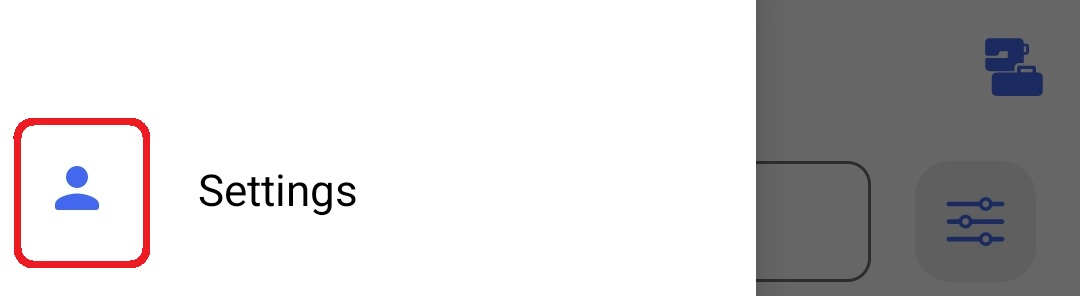
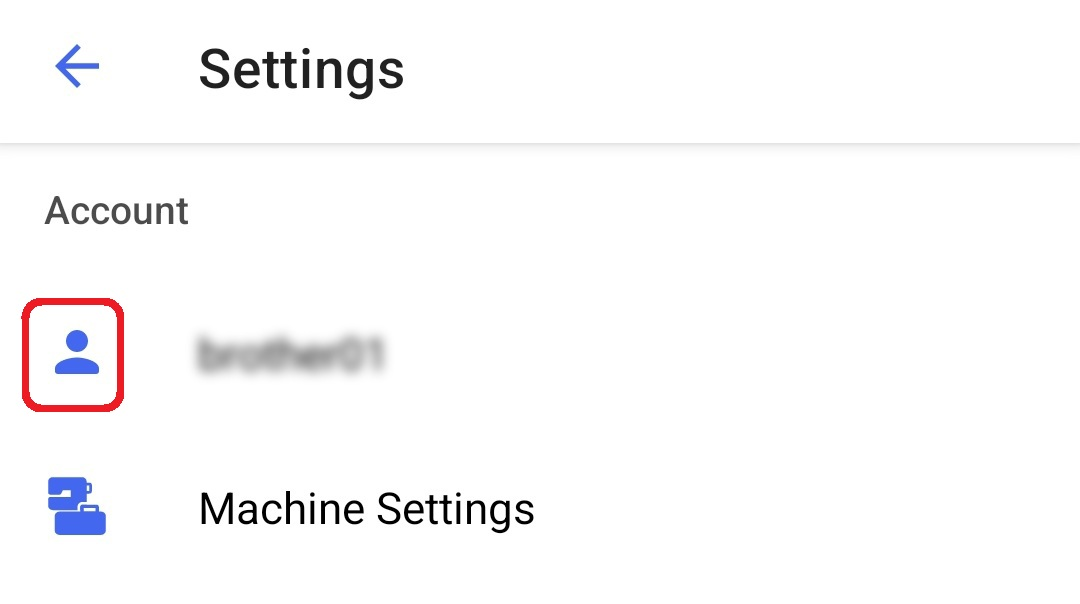
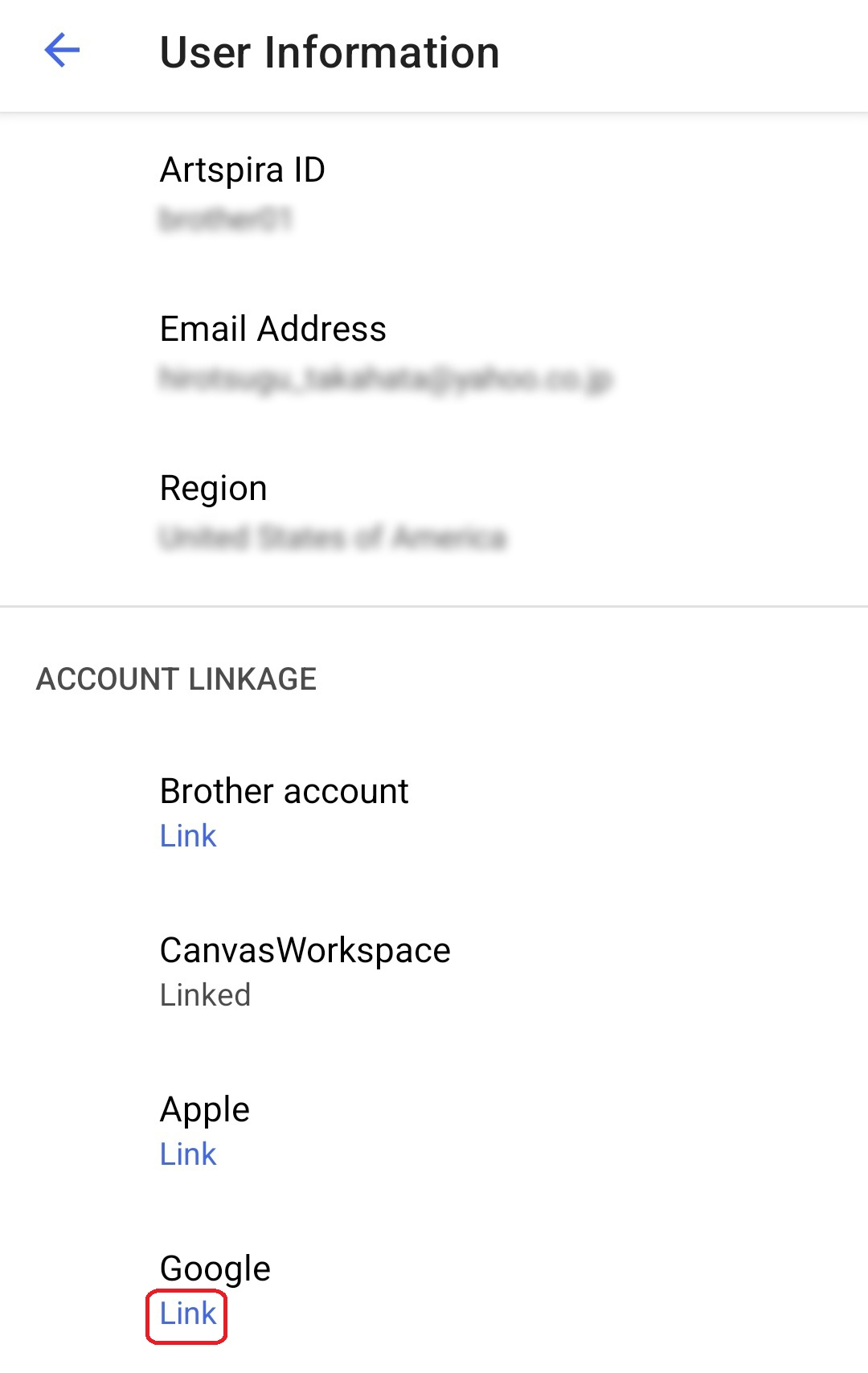
In this guide, we will link to a Google account.
You can also link your Apple ID using the same process.
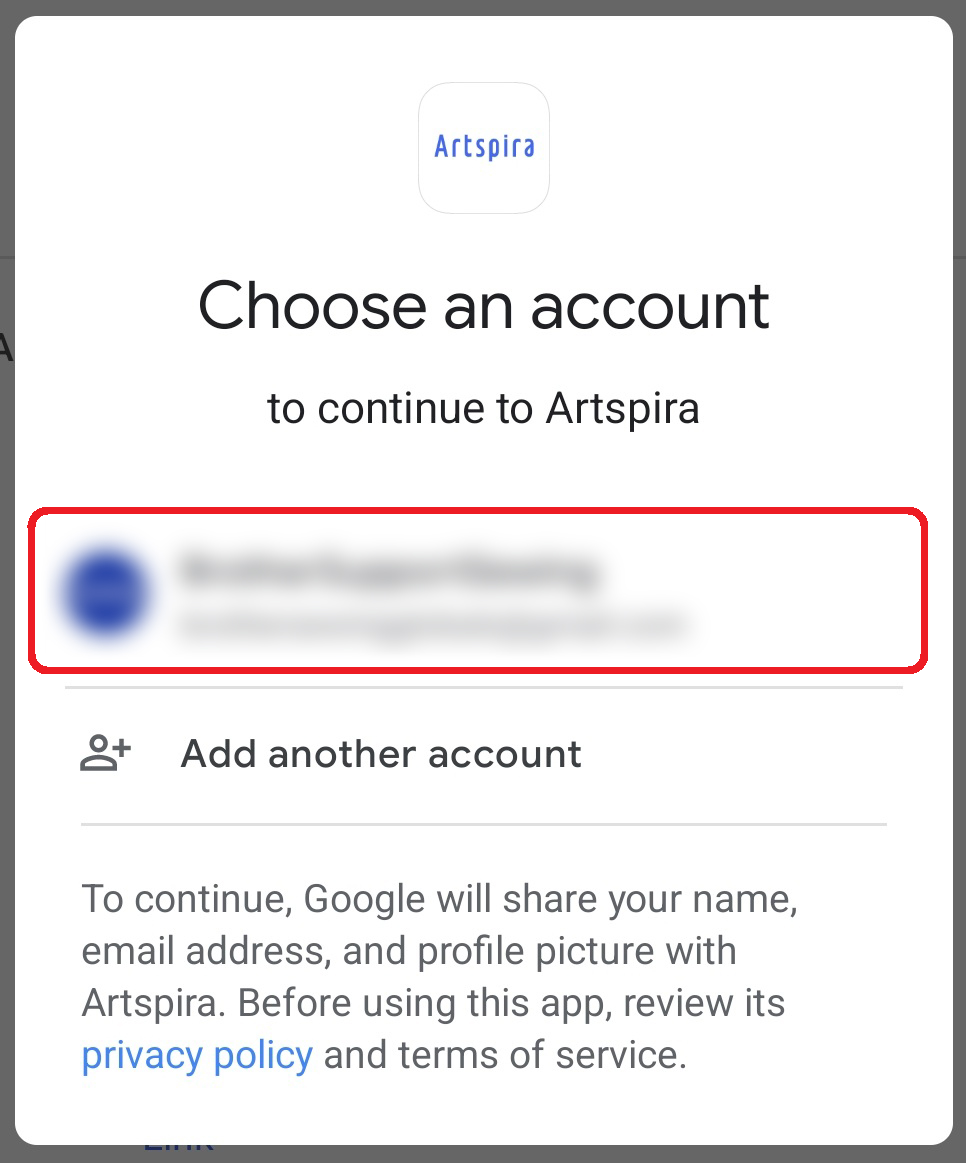
Please select your Google account.
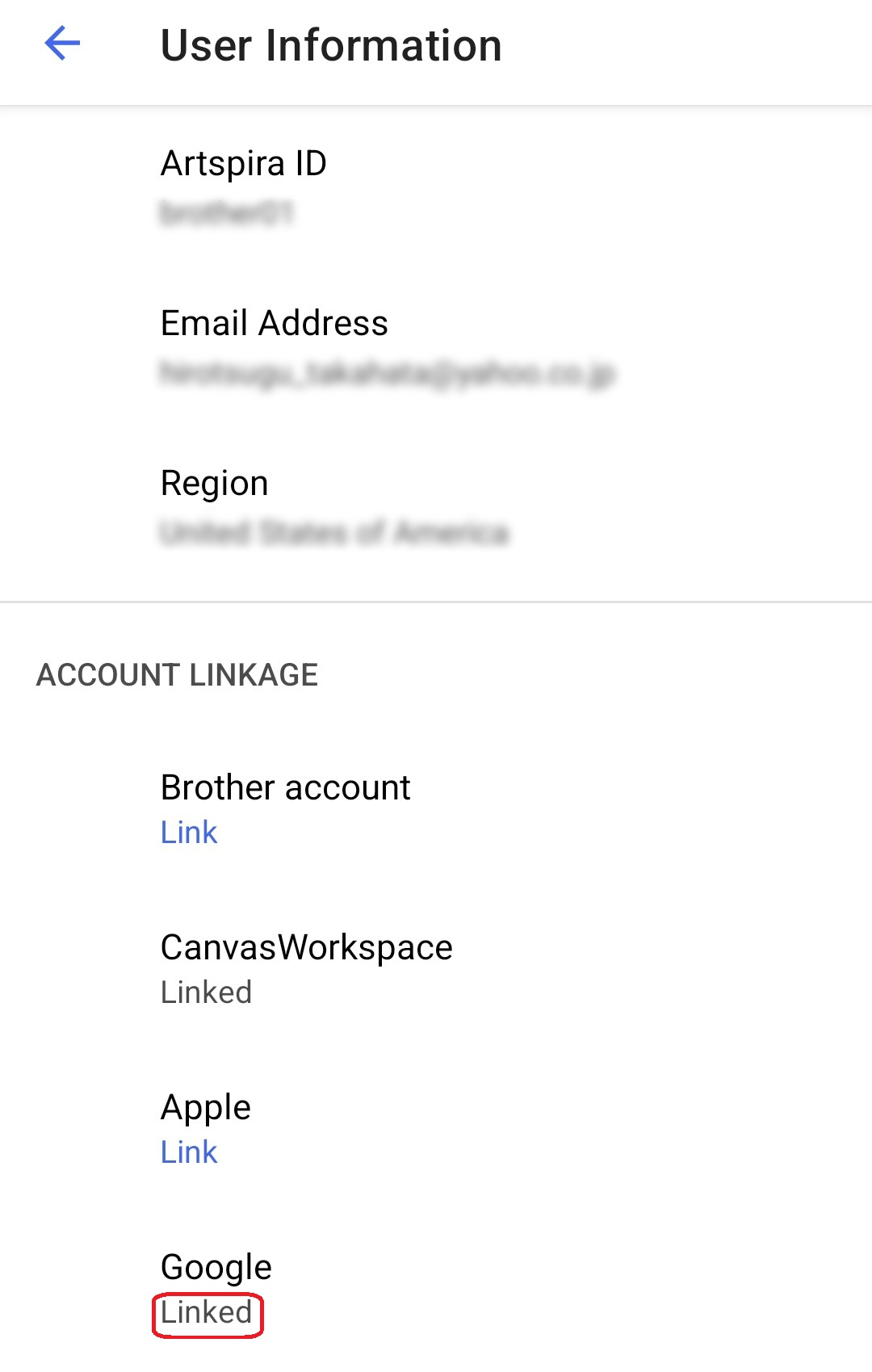
I've linked your Google account.
As a result, your CanvasWorkspace settings will now be carried over even if you log in with your Google account.

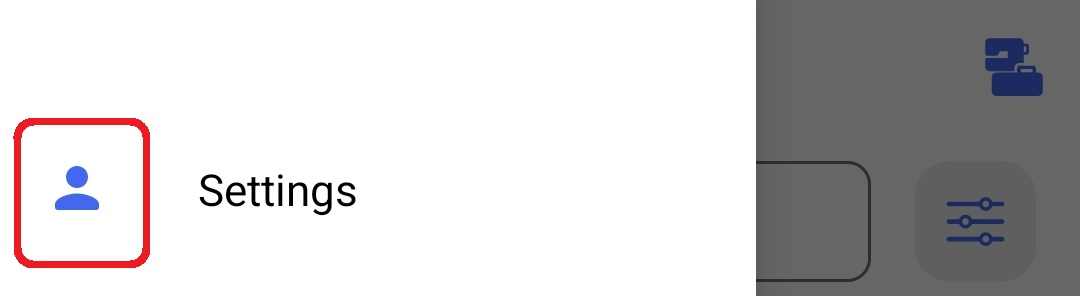
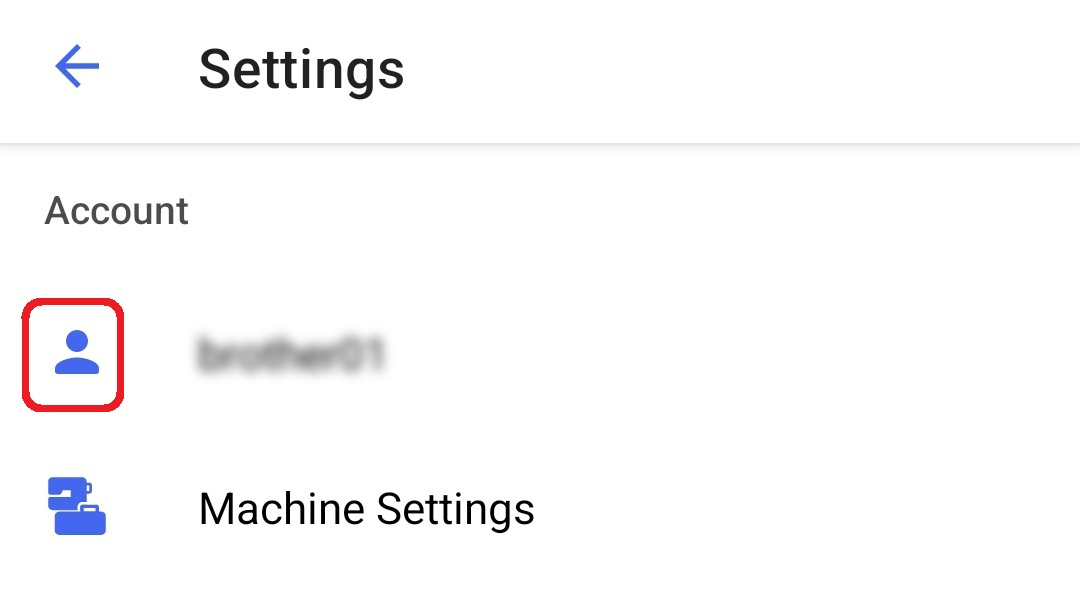
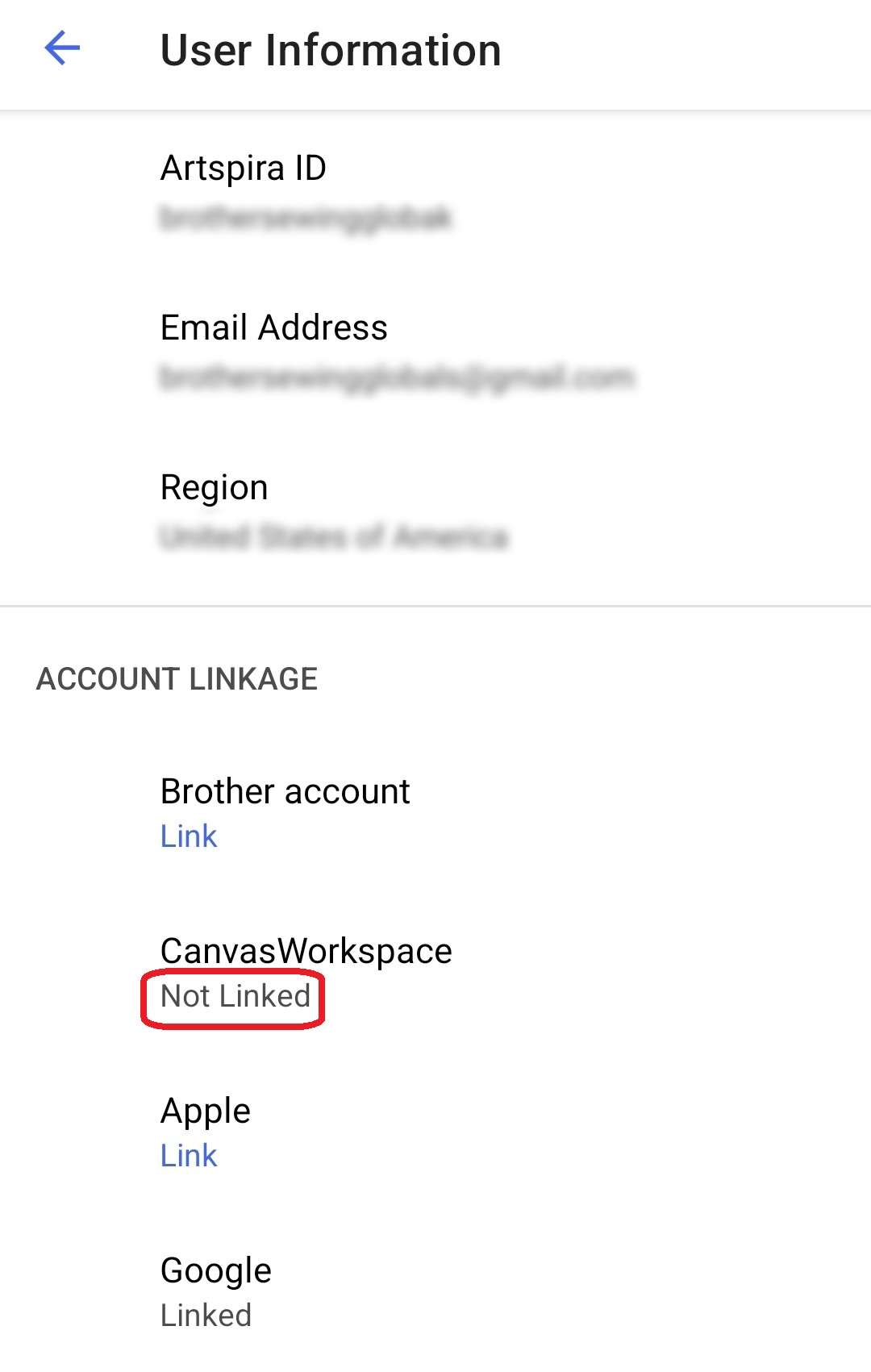
Link your CanvasWorkspace account.
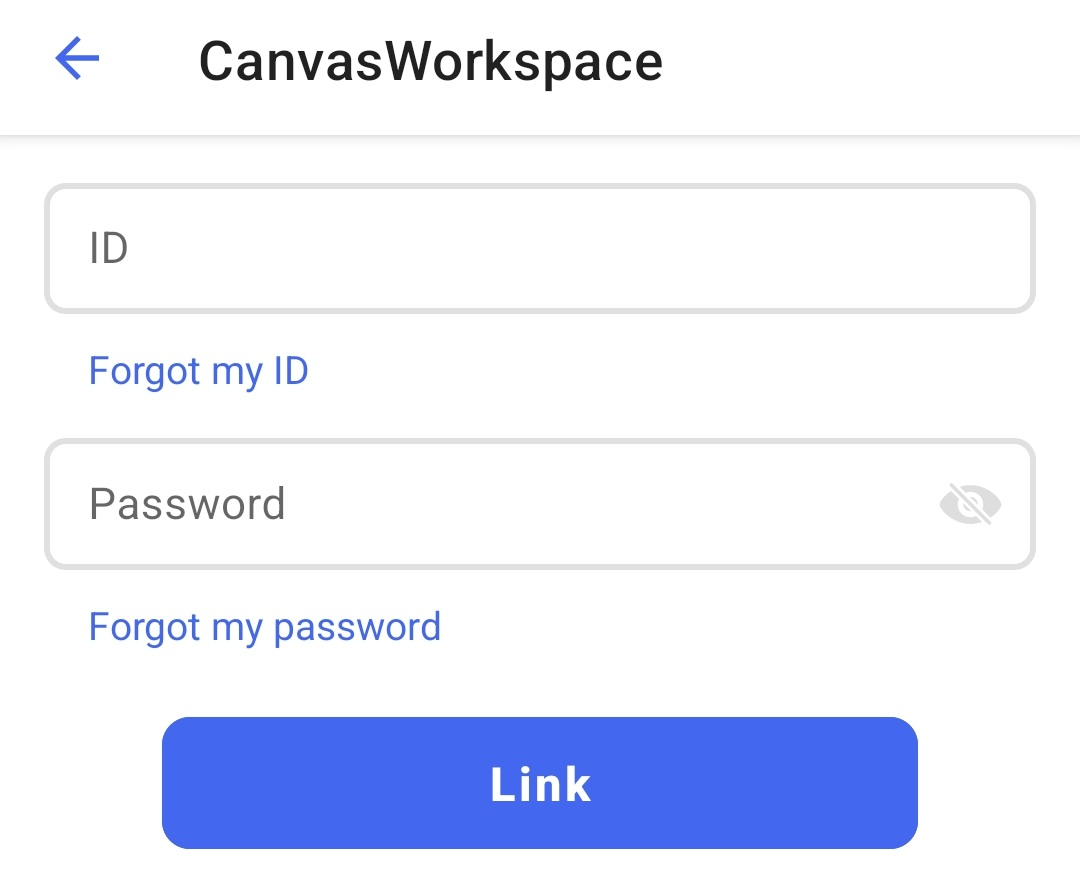
Enter your CanvasWorkspace login ID and password to link your account.
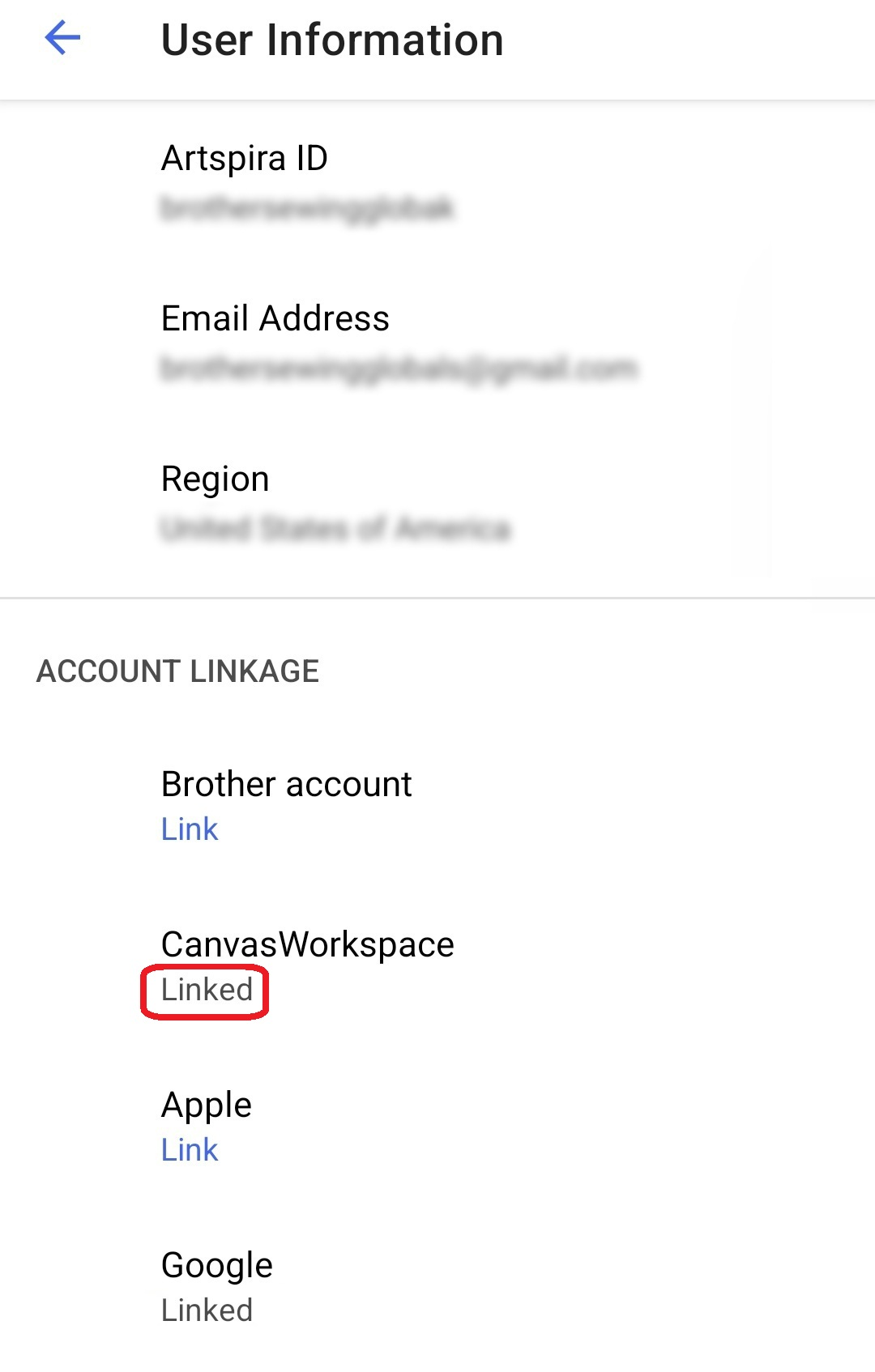
You have successfully linked your CanvasWorkspace login ID.
For subsequent logins, you can log in using your CanvasWorkspace ID and password as usual.
After logging in, you can link your Google or Apple account so that you can use the app without having to enter your CanvasWorkspace login ID or password the next time you log in. Please click here for detailed instructions.
How to Log In to Artspira Account
|
The movies are being streamed from YouTube.
|

Please enter your CanvasWorkspace login ID and password.
Your CanvasWorkspace login ID is automatically entered in the Artspira ID field.
Please check the email address you entered to confirm whether you’ve received the PIN code. Enter the 6-digit PIN code provided in the email.
Be sure to check your spam folder as well. If you still can't find what you're looking for, please contact us here.
Your account has been created and you have successfully logged in.
How to link your CanvasWorkspace login ID with accounts from other login methods
If you use CanvasWorkspace PC or ScanNCut Link and have been using your CanvasWorkspace login ID to access the apps, you will now be able to use both apps with a Google Account or Apple ID.
In this guide, we will link to a Google account.
You can also link your Apple ID using the same process.
Please select your Google account.
I've linked your Google account.
As a result, your CanvasWorkspace settings will now be carried over even if you log in with your Google account.
How to link your CanvasWorkspace login ID to your Google or Apple account
If you have previously used your Google or Apple account for Artspira and your CanvasWorkspace login ID for CanvasWorkspace, we recommend that you take this opportunity to start logging in to CanvasWorkspace PC using your Google or Apple account as well.
By linking your CanvasWorkspace login ID, you will no longer need to enter your ID or password when logging in. (Your existing account information and data will be carried over.)
Link your CanvasWorkspace account.
Enter your CanvasWorkspace login ID and password to link your account.
You have successfully linked your CanvasWorkspace login ID.